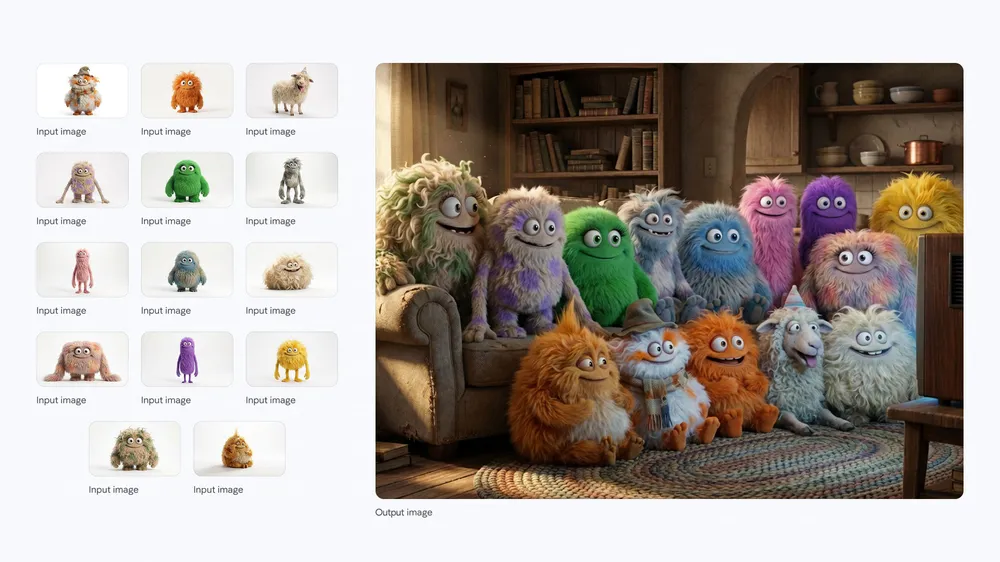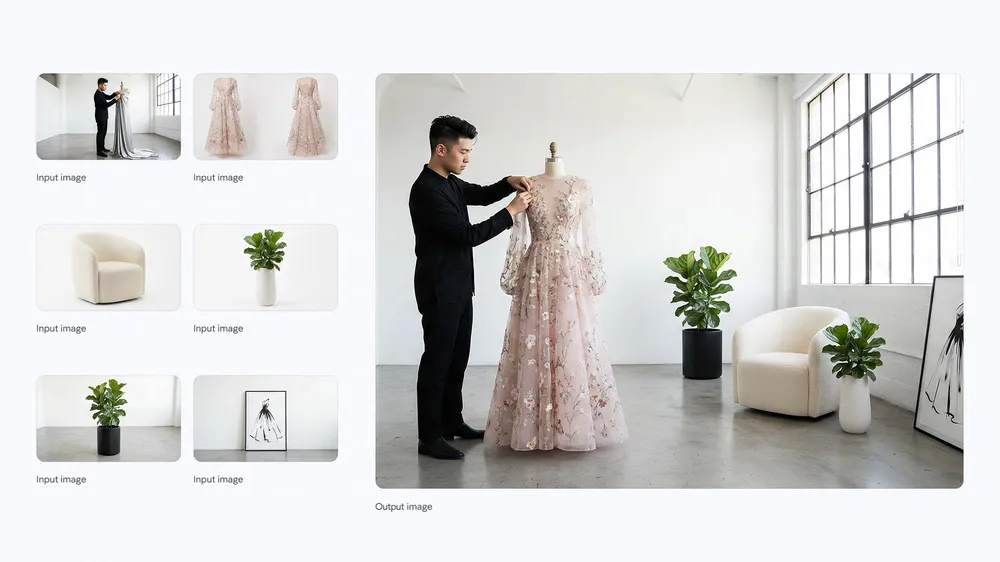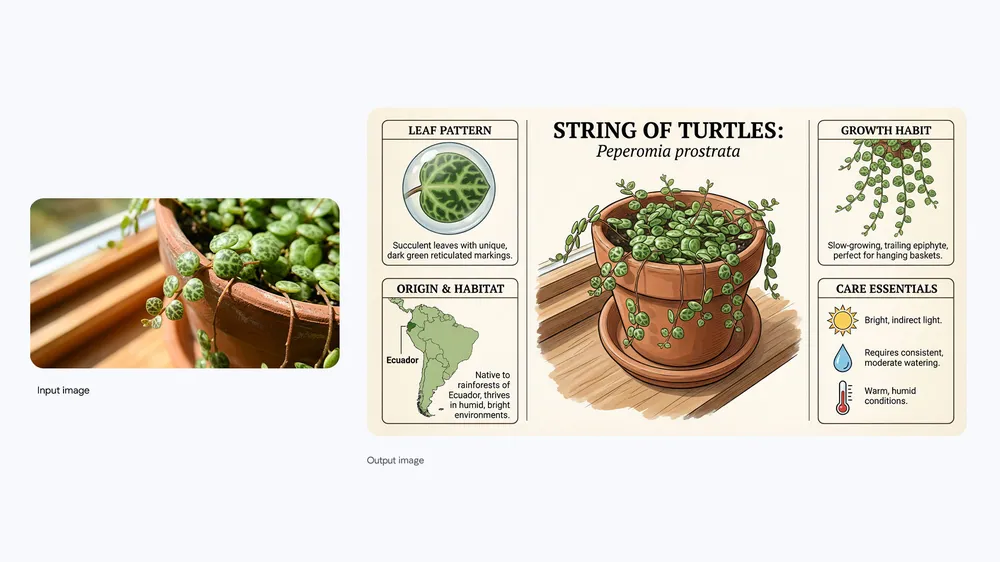

Inputs
ReadyText and up to 5 reference images
Models
Detailed image production
Use the Nano Banana Pro AI Image Generator for detailed campaign artwork, typography, product visuals, fashion concepts, and complex reference-led compositions. Work from a prompt or up to five reference images, choose seven aspect ratios, and produce polished 1K, 2K, or 4K output inside one DreamMotion workspace.
DreamMotion AI provides an independent workspace for this model. Current controls and credits reflect the verified integration.
Current integration
The Nano Banana Pro AI Image Generator creates from a detailed prompt or up to five reference images. Choose one of seven supported canvases and 1K, 2K, or 4K output, then review the exact ten-credit cost before generation. These verified controls match the embedded workspace on this page.
Inputs
ReadyText and up to 5 reference images
Resolution
Ready1K, 2K, 4K
Aspect ratios
Ready1:1, 2:3, 3:2, 3:4, 4:3, 9:16, 16:9
Generation cost
Ready10 credits / image
Create on this page
The workspace is preselected for this model. Add a prompt or references, choose supported settings, and review the exact credit total before generating.
Prompt framework
Build stronger Nano Banana Pro prompts by defining the production goal, exact visible copy, spatial relationships, material direction, and the role of every reference before adding decorative detail.
Start a Nano Banana Pro prompt with the intended deliverable and its audience, then define the primary subject, supporting objects, composition, camera perspective, and visual hierarchy. Add lighting, color, materials, typography, and finishing requirements in separate clauses instead of mixing every instruction into one long style list. A clear order helps the model distinguish essential production constraints from optional atmosphere and makes targeted revisions easier after the first result.
Explain where people, products, props, labels, and background elements sit in the frame instead of listing disconnected assets. When using reference images, assign each one a job: subject identity, wardrobe, product shape, composition, environment, material, or lighting. State which details must remain unchanged and how the referenced elements should interact. This reference hierarchy is especially important for multi-subject scenes, fashion direction, product campaigns, and composite storytelling.
Describe the intended finish with concrete production language. Specify whether the image should feel photographic, editorial, illustrative, cinematic, graphic, or product-focused, then name surface qualities, contrast, depth, lens behavior, and color treatment. If visible text is required, provide the exact copy, placement, hierarchy, and typography direction. Finish with the target aspect ratio, output resolution, protected brand details, and elements the Nano Banana Pro AI Image Generator should avoid.
Reusable example
Create a production-ready [campaign, product, editorial, or information-design image] for [intended audience and placement]. Feature [primary subject] in [composition and camera perspective], with [secondary subjects or objects] positioned [spatial relationships]. Render the exact visible text “[required copy]” in [typography style and location]. Image 1 defines subject identity, Image 2 controls product or wardrobe details, Image 3 guides composition, and Image 4 defines materials, lighting, and color direction. Preserve [protected details], use [specific materials and surface qualities], avoid [unwanted elements], and deliver a polished [aspect ratio] image at [resolution] with readable text, coherent references, and refined production detail.
How to use
Follow the same four-step path from the first input to the final credit review, using only controls available in the current DreamMotion workspace.
Begin with a detailed written brief, or add up to five references when the composition depends on specific people, products, wardrobe, materials, or visual systems.
Define the primary subject, intended use, spatial relationships, exact visible copy, and the role of every reference before adding decorative styling.
Choose the final aspect ratio and 1K, 2K, or 4K output according to the campaign placement and required production detail.
Review protected details, typography, references, and the displayed ten-credit cost before submitting the generation.
Capabilities and best use cases
Explore Nano Banana Pro examples for typography, multi-reference composition, commercial art direction, and structured information design, illustrated with official launch media.
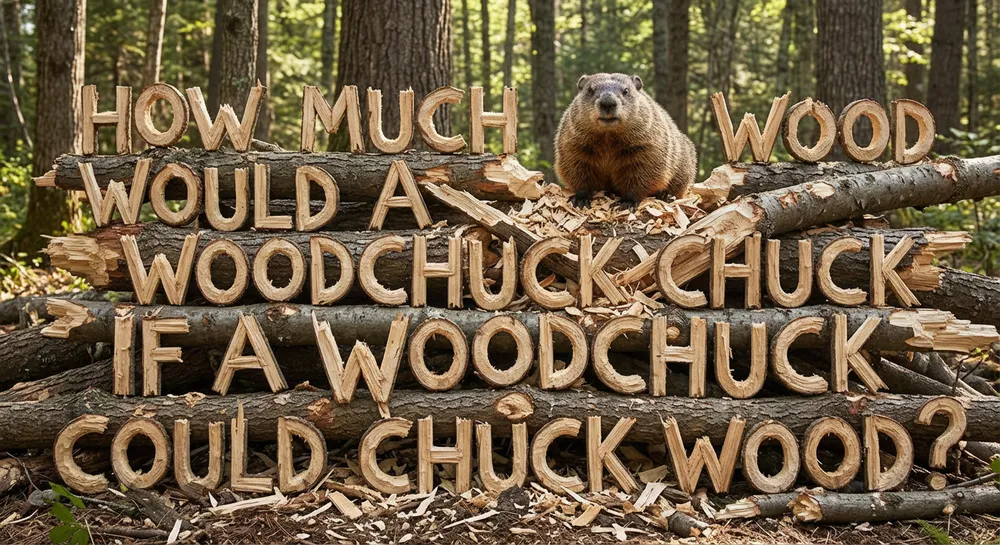
Text inside the image
Use the Nano Banana Pro AI Image Generator for campaign headlines, product labels, poster copy, and graphic text that must feel integrated with the scene. State the exact wording, location, hierarchy, type style, and surrounding negative space so typography becomes part of the art direction instead of an afterthought.
Best for
Capability examples use official google nano banana pro launch media from the cited official source.
Open official sourceModel comparison
Choose by creative role, control, and current credit range instead of assuming the heaviest model fits every brief.
Rapid concept exploration
Detailed campaign artwork
Typography and poster graphics
High-density infographics
Choose Nano Banana Pro when the brief depends on complex composition, visible typography, product or fashion detail, multiple reference roles, or a more deliberate commercial finish. Nano Banana 2 is the faster five-credit option for broad image creation, campaign variations, localization, and repeated exploration. GPT Image 2 is a useful alternative for text-focused graphics, realistic scenes, poster layouts, and work that benefits from selectable quality levels. Start with the model whose strongest control matches the most important risk in the brief: speed for rapid iteration, Pro-level art direction for complex production, or GPT Image 2 when text and quality selection are central.
Good to know
Clear answers about the current integration, credits, references, and generation behavior.
Nano Banana Pro currently uses ten DreamMotion credits per image at 1K, 2K, or 4K. The embedded generator displays the exact credit total before submission, so you can confirm the model and settings before a job begins. If a generation reaches a confirmed failed state, the reserved credits are returned automatically.
Nano Banana Pro is best suited to detailed campaign artwork, product and fashion direction, visible typography, information design, multi-reference composition, and images that need a deliberate commercial finish. It is a strong choice when the brief contains several protected details or spatial relationships and you need more instruction depth than a rapid concept model usually requires.
Nano Banana Pro is the heavier production option for complex art direction, typography, compositing, material detail, and reference-led commercial work. Nano Banana 2 is faster and currently uses five credits instead of ten, making it better for broad exploration and repeated variations. Both support up to five references, seven aspect ratios, and output up to 4K in the current DreamMotion integration.
Nano Banana Pro can create visible headlines, labels, poster copy, and packaging concepts as part of the image. For the best result, include the exact wording in quotation marks and describe its location, hierarchy, type style, color, and surrounding negative space. Always inspect spelling, small copy, logos, and regulated product information before publishing the final asset.
DreamMotion currently supports 1:1, 2:3, 3:2, 3:4, 4:3, 9:16, and 16:9 canvases for Nano Banana Pro. Available resolutions are 1K, 2K, and 4K. Choose the final placement before generating whenever possible so the subject hierarchy, text area, and negative space are designed for the intended canvas rather than cropped afterward.
Yes. Add up to five reference images to guide the subject, composition, or visual direction before generating.
DreamMotion AI automatically returns the reserved credits when a generation job reaches a confirmed failed state.
Start inside the embedded workspace or open the full creator to keep more room for references, settings, and generated results.
10 free credits on sign-up · No credit card required